Das Projekt ist sehr interessant, da es sehr verschiedene Bereiche abdeckt.
- NTP Zeitabfrage
- Display Ansteuerung mit touch
- Helligkeitsregulierung der Anzeige
- Little FS Speichern der Einstellungen /Laden beim Starten mit JSON
- OTA update
- Webserver
- Tochterboard Platine erstellen mit KICAD9
- Gehäuse entwerfen mit FreeCAD für den 3D Druck
Was brauchen wir für dieses Projekt:
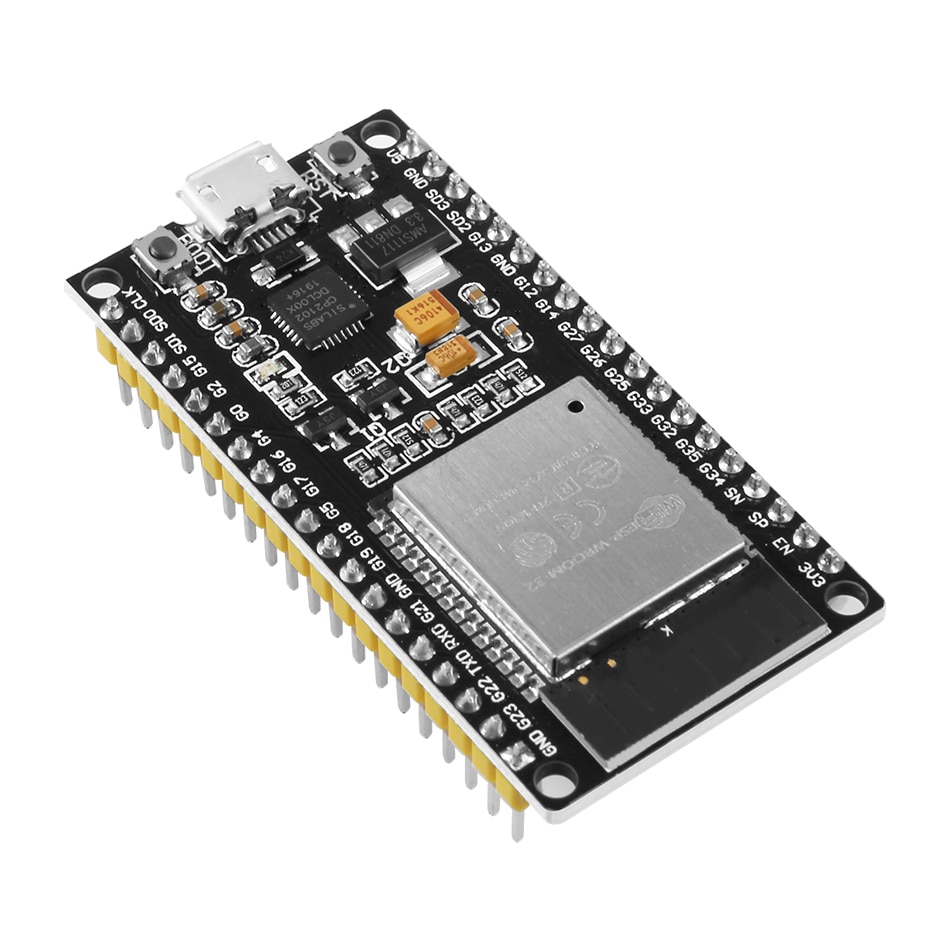
- Wir benötigen einen ESP32Dev Kit 1 38 Polig
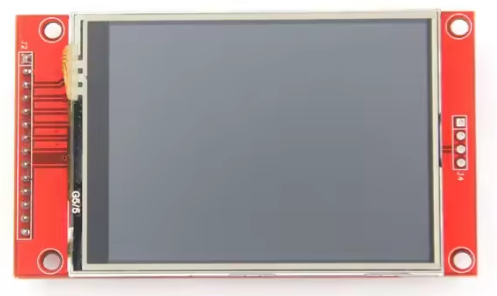
- ILI9341 Display 2.8""
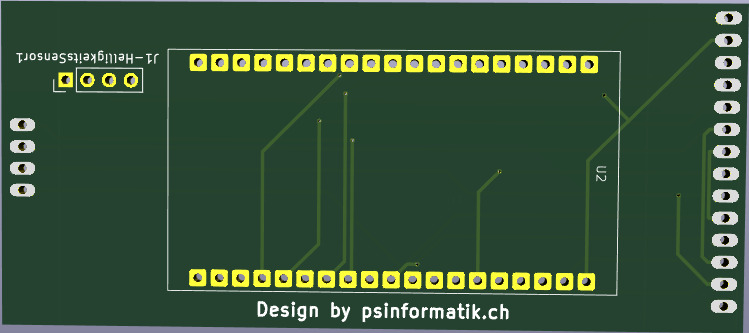
- Tochterplatine
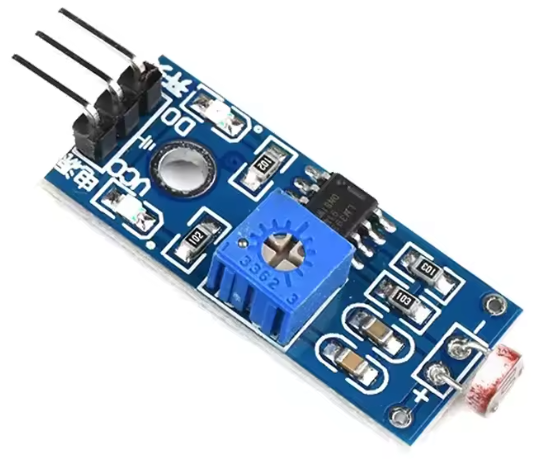
- Helligkeitssensor
Für die Grafikansteuerung verwende ich die Library TFT_eSPI von Bodmer.
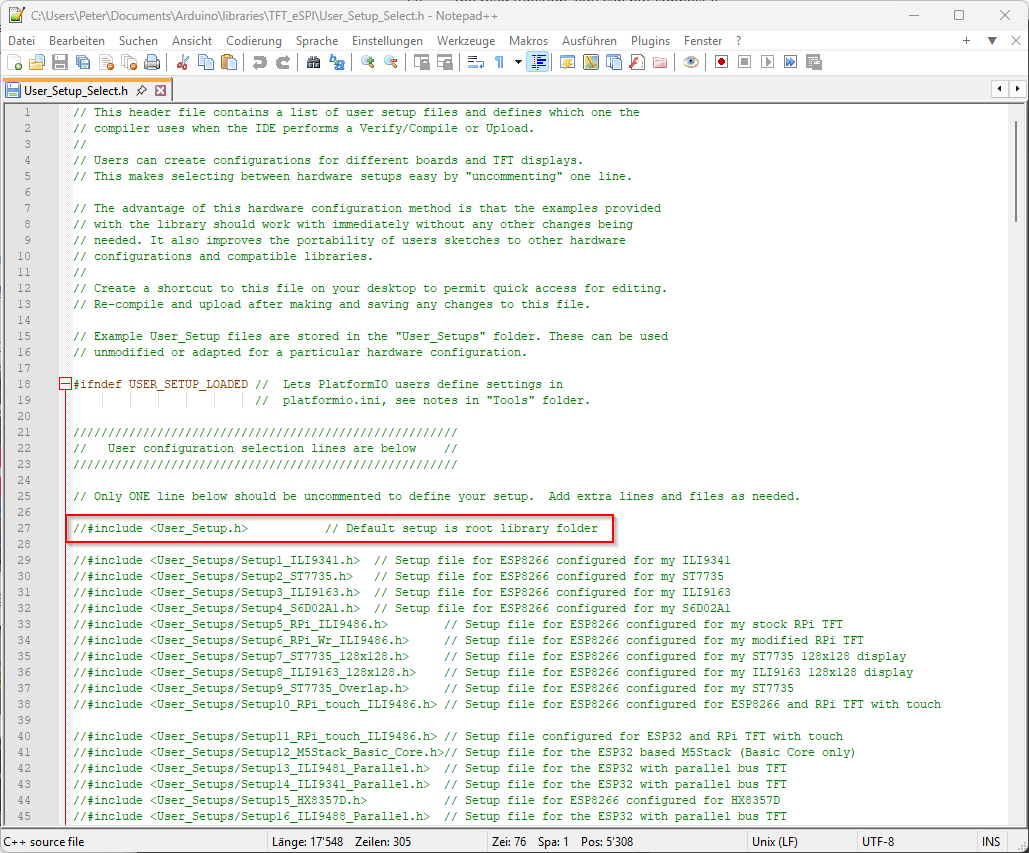
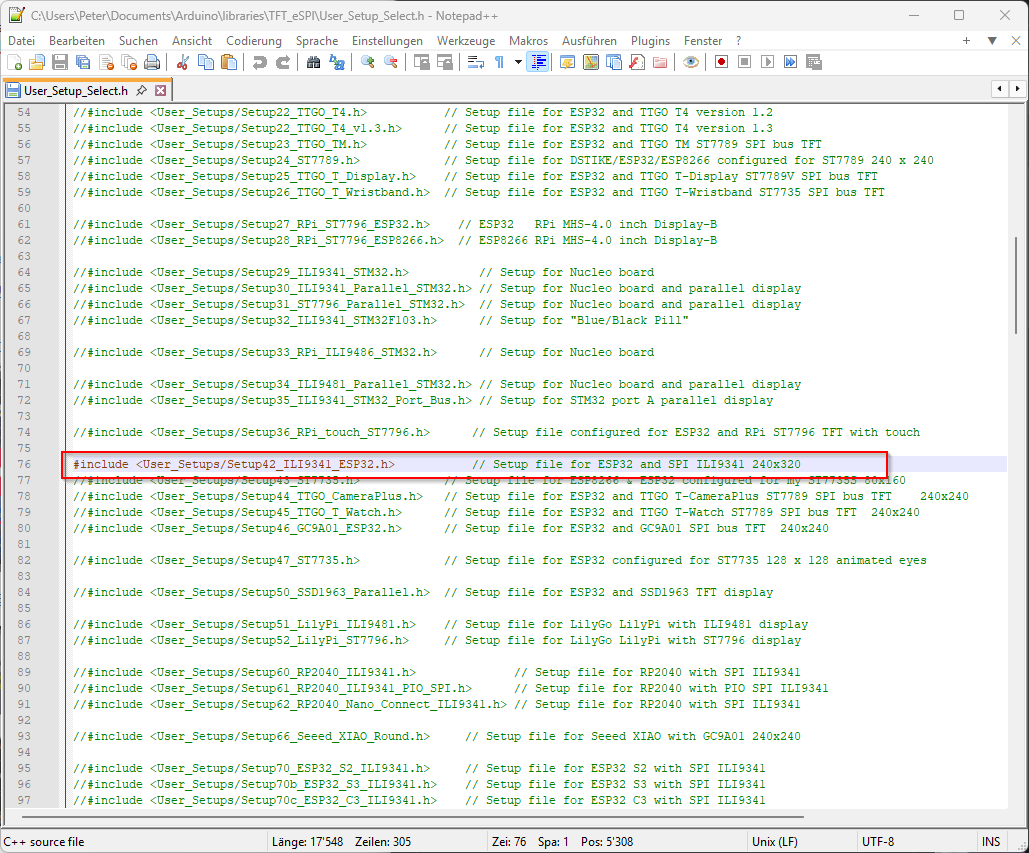
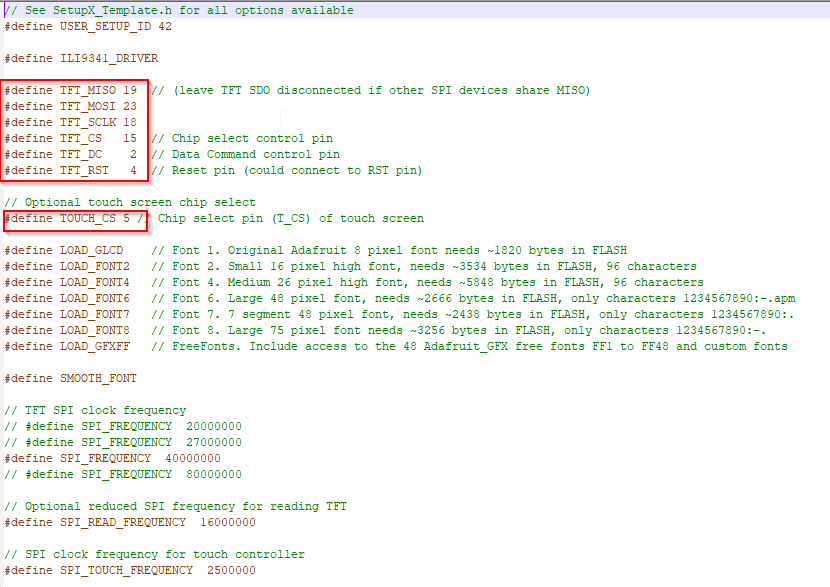
Die Library ist für viele Displays gemacht, daher muss diese zuerst für mein ILI9341 konfiguriert werden.
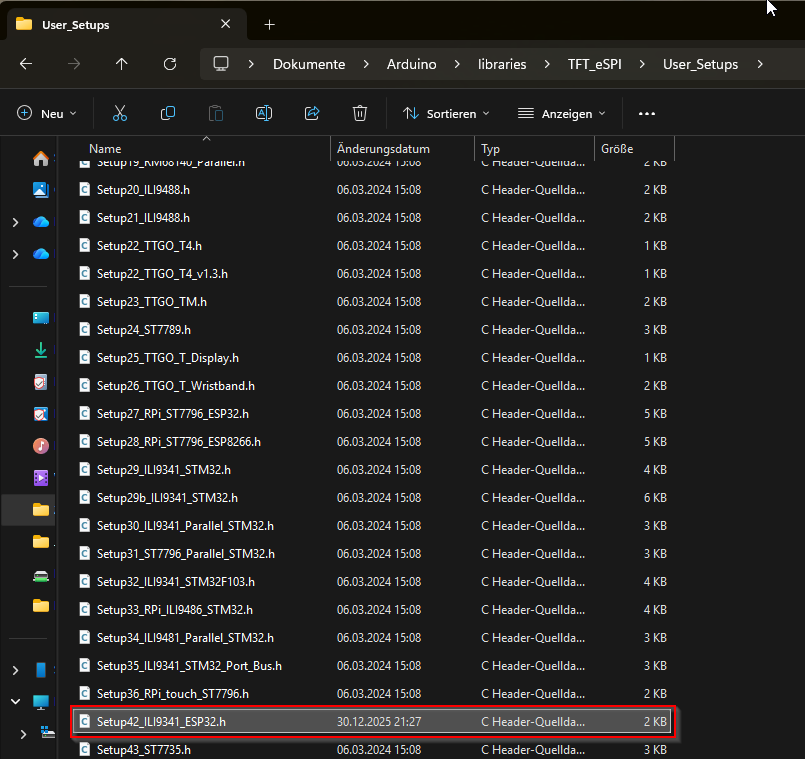
Die folgenden Dateien befinden sich im Arduino Ordner: C:\Users\DeinBenutzerName\Documents\Arduino\libraries\TFT_eSPI
Da ich die User_Setup.h nicht verwende, kommentiere ich diese aus und aktiviere weiter unten den die entsprechende Datei <User_Setups/Setup42_ILI9341_ESP32.h> für mein Display.
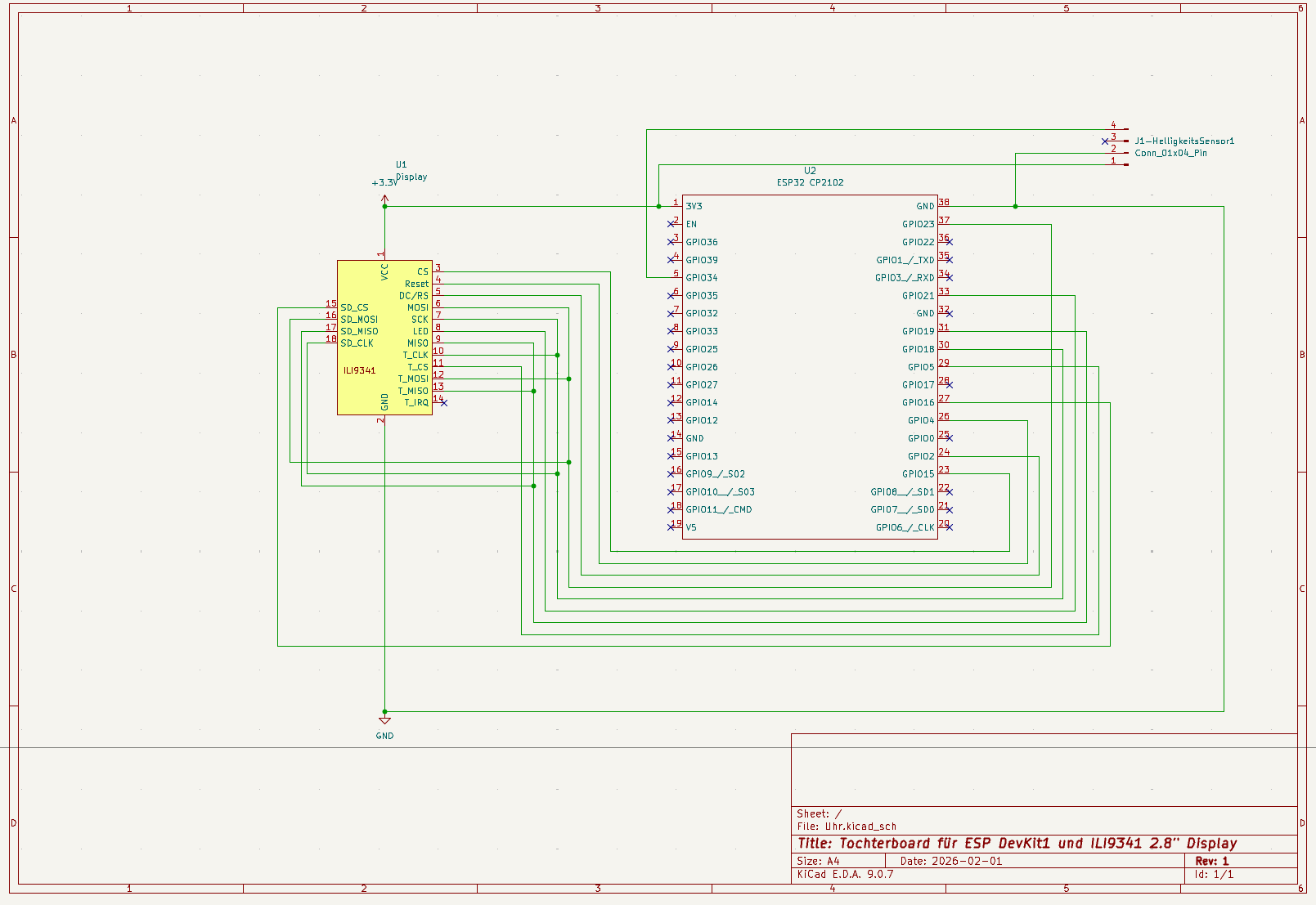
Custom Fonts
Da ich gerne eine 7Segment Anzeige möchte, brauche ich einen Custom Font, welchen ich für meine Bedürfnisse konvertieren Muss.
Hierzu gibt es ein gutes Video auf Youtube und auch das entsprechende Programm zum Download. Das Video zeigt zwar dies mit der Adafruit Library, gilt aber auch für
unsere Library von Bodmer.
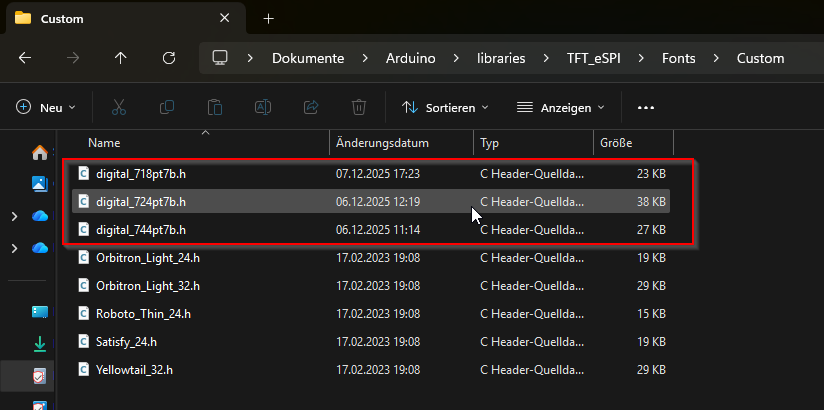
Die fertigen konvertierten Fonts werden in folgenden Ordner gespeichert. Hier mein Font in verschiedenen Grössen.
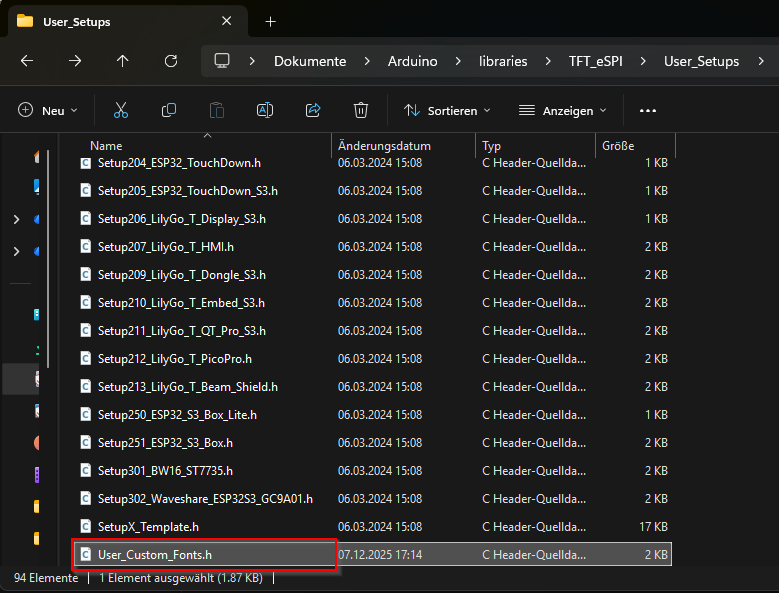
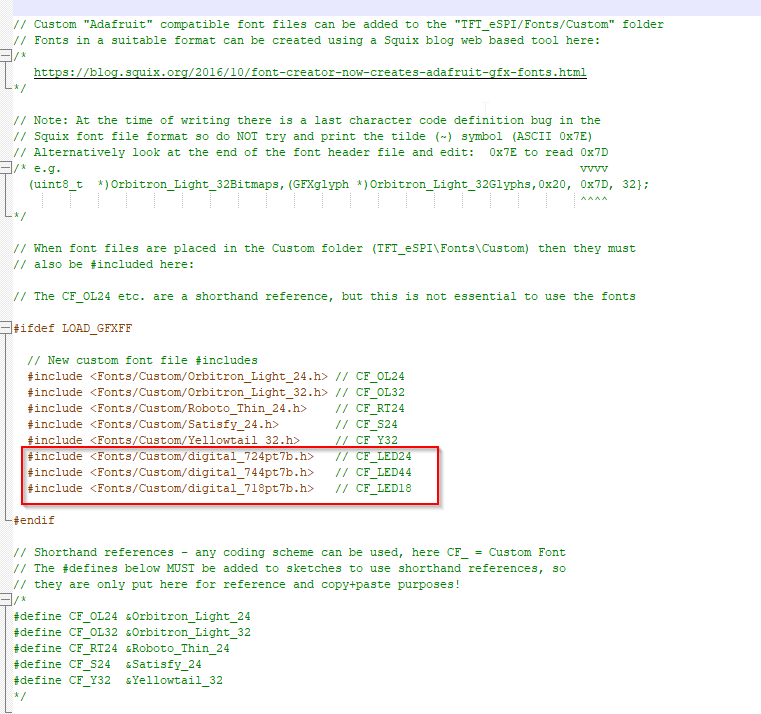
Danach müssen die Fonts in der Datei User_Custom_Fonts.h eingetragen werden.
Somit sind die Vorbereitungen abgeschlossen und wir können uns dem Code widmen.
/*
  Beispiel für TFT_Uhr
*/

// Benötigte Librarys
#include <FS.h>
#include "SPI.h"

#include <AsyncTCP.h>
#include <ESPAsyncWebServer.h>
#include <ElegantOTA.h>

#include "TFT_eSPI.h"
#include <TFT_eWidget.h>
#include <WiFi.h>
#include "NTP.h"
#include <WiFiUdp.h>
#include "Free_Fonts.h"
#include <ArduinoJson.h>


// File path in LittleFS
const char *filename = "/config.json";

const int potPin = 34;
int potValue = 0;
uint16_t Farbe = TFT_DARKGREEN;

// Backlight pin (check your wiring)
#define LEDC_PIN 21
#define LEDC_RESOLUTION 10 // Resolution: 10 bits

// Stock font and GFXFF reference handle
#define GFXFF 1
#define FF18 &FreeSans12pt7b
#define CF_LED44 &digital_744pt7b
#define CF_LED18 &digital_718pt7b

//Wifi Credentials
char ssid[] = "mousy";
char password[] = "emf2ytPpdzae";

AsyncWebServer server(80);

//Starting Wifi and UDP
WiFiUDP wifiUdp;
NTP ntp(wifiUdp);

// Use hardware SPI
TFT_eSPI tft = TFT_eSPI();

//Buttons definieren
#define CALIBRATION_FILE "/TouchCalData1"
#define REPEAT_CAL false

ButtonWidget btnMenu = ButtonWidget(&tft);
ButtonWidget btnWhite = ButtonWidget(&tft);
ButtonWidget btnGreen = ButtonWidget(&tft);
ButtonWidget btnRed = ButtonWidget(&tft);
ButtonWidget btnBlue = ButtonWidget(&tft);
ButtonWidget btnGelb = ButtonWidget(&tft);
ButtonWidget btnGrau = ButtonWidget(&tft);

//Button Grösse definieren
#define BUTTON_W 80
#define BUTTON_H 50

// Create an array of button instances to use in for() loops
// This is more useful where large numbers of buttons are employed
ButtonWidget* btn[] = {&btnMenu , &btnWhite , &btnGreen , &btnRed , &btnBlue , &btnGelb , &btnGrau};;
uint8_t buttonCount = sizeof(btn) / sizeof(btn[0]);

//Action der Menu Taste
void btnMenu_pressAction(void){
  if (btnMenu.justPressed()) {
    //Rahmen Zeichnen
    tft.fillScreen(TFT_BLACK);
    tft.drawRect(2, 2, 318, 25, 0xFAAA);
    tft.drawRect(2, 28, 318, 208, 0x540);

    //Titel
    tft.setFreeFont(FF17);
    tft.drawString("Farbe auswaehlen", 70, 6);

    //Button Weiss
    btnWhite.initButtonUL(20, 80, BUTTON_W, BUTTON_H, 0xAD55 , TFT_WHITE, TFT_BLACK, "Weiss", 1);
    btnWhite.setPressAction(btnWhite_pressAction);
    //btnWhite.setReleaseAction(btnL_releaseAction);
    btnWhite.drawSmoothButton(false, 3, TFT_BLACK); // 3 is outline width, TFT_BLACK is the surrounding background colour for anti-aliasing

    //Button Grün
    btnGreen.initButtonUL(120, 80, BUTTON_W, BUTTON_H, TFT_WHITE, TFT_DARKGREEN, TFT_BLACK, "Gruen", 1);
    btnGreen.setPressAction(btnGreen_pressAction);
    btnGreen.drawSmoothButton(false, 3, TFT_BLACK); // 3 is outline width, TFT_BLACK is the surrounding background colour for anti-aliasing

    //Button Rot
    btnRed.initButtonUL(220, 80, BUTTON_W, BUTTON_H, TFT_WHITE, TFT_RED, TFT_BLACK, "Rot", 1);
    btnRed.setPressAction(btnRed_pressAction);
    btnRed.drawSmoothButton(false, 3, TFT_BLACK); // 3 is outline width, TFT_BLACK is the surrounding background colour for anti-aliasing

    //Button Blau
    btnBlue.initButtonUL(20, 150, BUTTON_W, BUTTON_H, TFT_WHITE , TFT_BLUE, TFT_WHITE, "Blau", 1);
    btnBlue.setPressAction(btnBlue_pressAction);
    btnBlue.drawSmoothButton(false, 3, TFT_BLACK); // 3 is outline width, TFT_BLACK is the surrounding background colour for anti-aliasing

    //Button Gelb
    btnGelb.initButtonUL(120, 150, BUTTON_W, BUTTON_H, TFT_WHITE, 0xFFEA, TFT_BLACK, "Gelb", 1);
    btnGelb.setPressAction(btnGelb_pressAction);
    btnGelb.drawSmoothButton(false, 3, TFT_BLACK); // 3 is outline width, TFT_BLACK is the surrounding background colour for anti-aliasing

    //Button Grau
    btnGrau.initButtonUL(220, 150, BUTTON_W, BUTTON_H, TFT_WHITE, 0xAD55, TFT_BLACK, "Grau", 1);
    btnGrau.setPressAction(btnGrau_pressAction);
    btnGrau.drawSmoothButton(false, 3, TFT_BLACK); // 3 is outline width, TFT_BLACK is the surrounding background colour for anti-aliasing

      // Serial.print("Button toggled: ");
      // if (btnMenu.getState()) Serial.println("ON");
      // else  Serial.println("OFF");
      // btnMenu.setPressTime(millis());
  }

  // if button pressed for more than 1 sec...
  // if (millis() - btnMenu.getPressTime() >= 1000) {
  //   Serial.println("Stop pressing my buttton.......");
  // }
  // else Serial.println("Button 3 is being pressed");
}

//Menu Button initialisieren
void initButtons() {
  //Menue Button
  btnMenu.initButtonUL(10, 10, BUTTON_W, BUTTON_H, TFT_BLACK, TFT_BLACK, TFT_BLUE, "Menu", 1);
  btnMenu.setPressAction(btnMenu_pressAction);
  btnMenu.drawSmoothButton(false, 3, TFT_BLACK);
}

// oldm wird für die aktualisierung der Uhr verwendet jede Minute
int oldm = 70; //Wert 70 kann nie ereicht werden und zwingt daher zur 1. Aktualisierung
int x = 200; // Wert für die Helligkeit des Displays

//Action der weissen Taste
void btnWhite_pressAction(void){
  //Serial.println("White Button is being pressed");
  Farbe = TFT_WHITE;
  writeJSON();
  oldm = 0;
}

//Action der grünen Taste
void btnGreen_pressAction(void){
  //Serial.println("Darkgreen Button is being pressed");
  Farbe = TFT_DARKGREEN;
  writeJSON();
  oldm = 0;
}

//Action der roten Taste
void btnRed_pressAction(void){
  //Serial.println("Red Button is being pressed");
  Farbe = TFT_RED;
  writeJSON();
  oldm = 0;
}

//Action der blauen Taste
void btnBlue_pressAction(void){
  //Serial.println("Blue Button is being pressed");
  Farbe = TFT_BLUE;
  writeJSON();
  oldm = 0;
}

//Action der gelben Taste
void btnGelb_pressAction(void){
  //Serial.println("Yellow Button is being pressed");
  Farbe = 0xFFEA;
  writeJSON();
  oldm = 0;
}

//Action der grauen Taste
void btnGrau_pressAction(void){
  //Serial.println("Grey Button is being pressed");
  Farbe = 0xAD55;
  writeJSON();
  oldm = 0;
}

//Helligkeitsregelung
void brightnes(){
    if (potValue < 2000){
      x=3000;}
      else if (potValue > 3000){
      x=1;
    }
  int dutyCycle = (pow(2, LEDC_RESOLUTION) - 1) * 0. + x; // Set duty cycle to 50%
  ledcWrite(LEDC_PIN, dutyCycle);
}

// Function to write JSON to LittleFS
bool writeJSON() {
    // Create a JSON document
    StaticJsonDocument<256> doc;
    doc["farbe"] = Farbe;
    doc["wifi"]["ssid"] = ssid;
    doc["wifi"]["password"] = password;

    // Open file for writing
    File file = LittleFS.open(filename, FILE_WRITE);
    if (!file) {
        Serial.println("Failed to open file for writing");
        return false;
    }

    // Serialize JSON to file
    if (serializeJson(doc, file) == 0) {
        Serial.println("Failed to write JSON to file");
        file.close();
        return false;
    }

    file.close();
    Serial.println("JSON written successfully");
    return true;
}

// Function to read JSON from LittleFS
bool readJSON() {
    // Open file for reading
    File file = LittleFS.open(filename, FILE_READ);
    if (!file) {
        Serial.println("Failed to open file for reading");
        return false;
    }

    // Allocate a JSON document
    StaticJsonDocument<256> doc;

    // Deserialize JSON from file
    DeserializationError error = deserializeJson(doc, file);
    if (error) {
        Serial.print("Failed to read file: ");
        Serial.println(error.c_str());
        file.close();
        return false;
    }

    file.close();

    Farbe = doc["farbe"];

    // Print values
    // Serial.println("JSON read successfully:");
    // Serial.print("Device: ");
    // Serial.println(doc["device"].as<const char*>());
    // Serial.print("Version: ");
    // Serial.println(doc["version"].as<float>());
     Serial.print("WiFi SSID: ");
     Serial.println(doc["wifi"]["ssid"].as<const char*>());
     Serial.print("WiFi Password: ");
     Serial.println(doc["wifi"]["password"].as<const char*>());

    return true;
}

void touch_calibrate() {
  uint16_t calData[5];
  uint8_t calDataOK = 0;

  // check file system exists
  if (!LittleFS.begin()) {
    Serial.println("formatting file system");
    LittleFS.format();
    LittleFS.begin();

  }

  // check if calibration file exists and size is correct
  if (LittleFS.exists(CALIBRATION_FILE)) {
    if (REPEAT_CAL)
    {
      // Delete if we want to re-calibrate
      LittleFS.remove(CALIBRATION_FILE);
    }
    else
    {
      File f = LittleFS.open(CALIBRATION_FILE, "r");
      if (f) {
        if (f.readBytes((char *)calData, 14) == 14)
          calDataOK = 1;
        f.close();
      }
    }
  }

  // check if config file exists
  if (!LittleFS.exists(filename)){
      writeJSON();
  }
  else
    {
      readJSON();
    }


  if (calDataOK && !REPEAT_CAL) {
    // calibration data valid
    tft.setTouch(calData);
  } else {
    // data not valid so recalibrate
    tft.fillScreen(TFT_BLACK);
    tft.setCursor(20, 0);
    tft.setTextFont(2);
    tft.setTextSize(1);
    tft.setTextColor(TFT_WHITE, TFT_BLACK);

    tft.println("Touch corners as indicated");

    tft.setTextFont(1);
    tft.println();

    if (REPEAT_CAL) {
      tft.setTextColor(TFT_RED, TFT_BLACK);
      tft.println("Set REPEAT_CAL to false to stop this running again!");
    }

    tft.calibrateTouch(calData, TFT_MAGENTA, TFT_BLACK, 15);

    tft.setTextColor(TFT_GREEN, TFT_BLACK);
    tft.println("Calibration complete!");

    // store data
    File f = LittleFS.open(CALIBRATION_FILE, "w");
    if (f) {
      f.write((const unsigned char *)calData, 14);
      f.close();
    }
  }
}


void setup(void) {

  Serial.begin(115200);
  WiFi.begin(ssid, password);
  //TFT Start
  tft.begin();
  tft.setRotation(1); // Querformat Pins rechts
  tft.setFreeFont(FF18);
  touch_calibrate();


  // Setup PWM channel for backlight
  ledcAttach(LEDC_PIN, 5000, LEDC_RESOLUTION); // Set frequency to 5000 Hz and resolution to 10 bits

  int dutyCycle = (pow(2, LEDC_RESOLUTION) - 1) * 0. + x; // Set duty cycle to 50%
  ledcWrite(LEDC_PIN, dutyCycle);

  while (WiFi.status() != WL_CONNECTED) {
    tft.fillScreen(TFT_BLACK);
    tft.setTextColor(TFT_WHITE, TFT_BLACK);
    tft.drawString("Connecting ...", 30, 80);
    //Serial.print("Connecting ...");
    delay (500);
    tft.drawString("HTTP server started", 30, 110);
    tft.drawString("IP address: ", 30, 140);

    }

  server.begin();
  server.on("/", HTTP_GET, [](AsyncWebServerRequest *request) {
    request->send(200, "text/plain", "Uhren Webserver only for update.");
  });


  ElegantOTA.begin(&server);    // Start ElegantOTA

  //String ip = String(WiFi.localIP());
    tft.drawString(WiFi.localIP().toString(), 160, 140);
    //Serial.println(ip);
    Serial.println(WiFi.localIP());
    delay(5000);

  //NTP Settings
  ntp.ruleDST("CEST", Last, Sun, Mar, 2, 120); // last sunday in march 2:00, timetone +120min (+1 GMT + 1h summertime offset)
  ntp.ruleSTD("CET", Last, Sun, Oct, 3, 60); // last sunday in october 3:00, timezone +60min (+1 GMT)
  void begin(const char* server = "0.ch.pool.ntp.org");
  ntp.begin();

}

void loop() {
  ElegantOTA.loop();
  // Internetzeit update
  ntp.update();
  //Helligkeit prüfen
  potValue = analogRead(potPin);
  brightnes();
  //Serial.println(potValue);

  static uint32_t scanTime = millis();
  uint16_t t_x = 9999, t_y = 9999; // To store the touch coordinates

  // Scan keys every 50ms at most
  if (millis() - scanTime >= 50) {
    // Pressed will be set true if there is a valid touch on the screen
    bool pressed = tft.getTouch(&t_x, &t_y);
    scanTime = millis();
    for (uint8_t b = 0; b < buttonCount; b++) {
      if (pressed) {
        if (btn[b]->contains(t_x, t_y)) {
          btn[b]->press(true);
          btn[b]->pressAction();
        }
      }
      else {
        btn[b]->press(false);
        btn[b]->releaseAction();
      }
    }
  }


    if (oldm != ntp.minutes()){
        tft.fillScreen(TFT_BLACK);// Clear screen

        //tft.setFreeFont(FF18);// Select the font
        initButtons();
        //tft.setTextColor(TFT_DARKGREEN, TFT_BLACK);
        tft.setTextColor(Farbe, TFT_BLACK);
        tft.setFreeFont(CF_LED18);
        tft.drawString(ntp.formattedTime("%d. %B %Y"), 50, 200, GFXFF);// Print the string name of the font
        tft.setFreeFont(CF_LED44);                 // Select the font
        tft.drawString(ntp.formattedTime("%R"), 90, 80, GFXFF);// Print the test text in the custom font
        oldm = ntp.minutes();
        //Serial.print(ntp.minutes());
        //delay(1000);
    }
}
Download: